Reduce 3D mesh file size, keep the detail that matters
Upload once, choose single or LOD pack output, and track jobs in your history while they process. Completed jobs show per-LOD vertex/face metrics and a downloadable LOD bundle.


Start from a clean dropzone
Drop or browse supported meshes up to 500 MiB (524 MB).
Pick single output or a full LOD pack. Set the reduction range and LOD count in one run.
Pick light/balanced/strong or a custom reduction value, and inspect the source mesh before processing. The actual upload to the server starts when you launch the job.
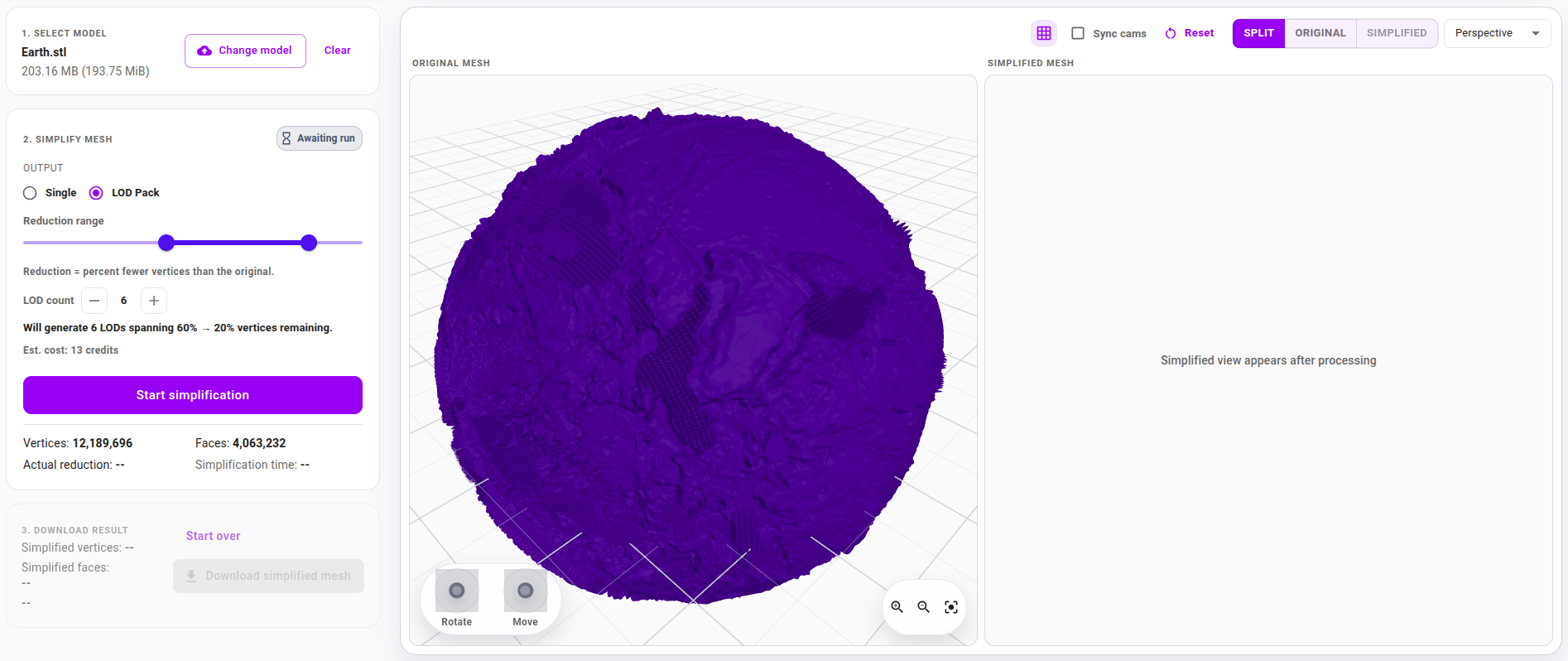


Track queue position directly on the simplification page or in your job history
Jobs appear in your jobs history with queue position or processing status while they run.
Wait for simplification to complete
Track progress as the simplified mesh is created.


Review LODs and download the bundle
Finished jobs show per-LOD vertex and face metrics plus the LOD bundle download. The original preview is only available during the live run.
Built for high-impact 3D workflows
Intelligent Simplification
Our advanced algorithms intelligently identify and remove unnecessary geometry while preserving critical visual elements. Keep the quality, lose the bulk.
LOD packs on demand
Generate multiple LODs in one run, with per-LOD vertex and face metrics to confirm your budgets.
Queued processing in your job history
Track queue position or processing status while jobs run. Keep moving without babysitting uploads.
Ready for Any Platform
Export optimized models perfect for web viewers, mobile devices, VR/AR applications, and game engines. Reach your audience wherever they are.